Church
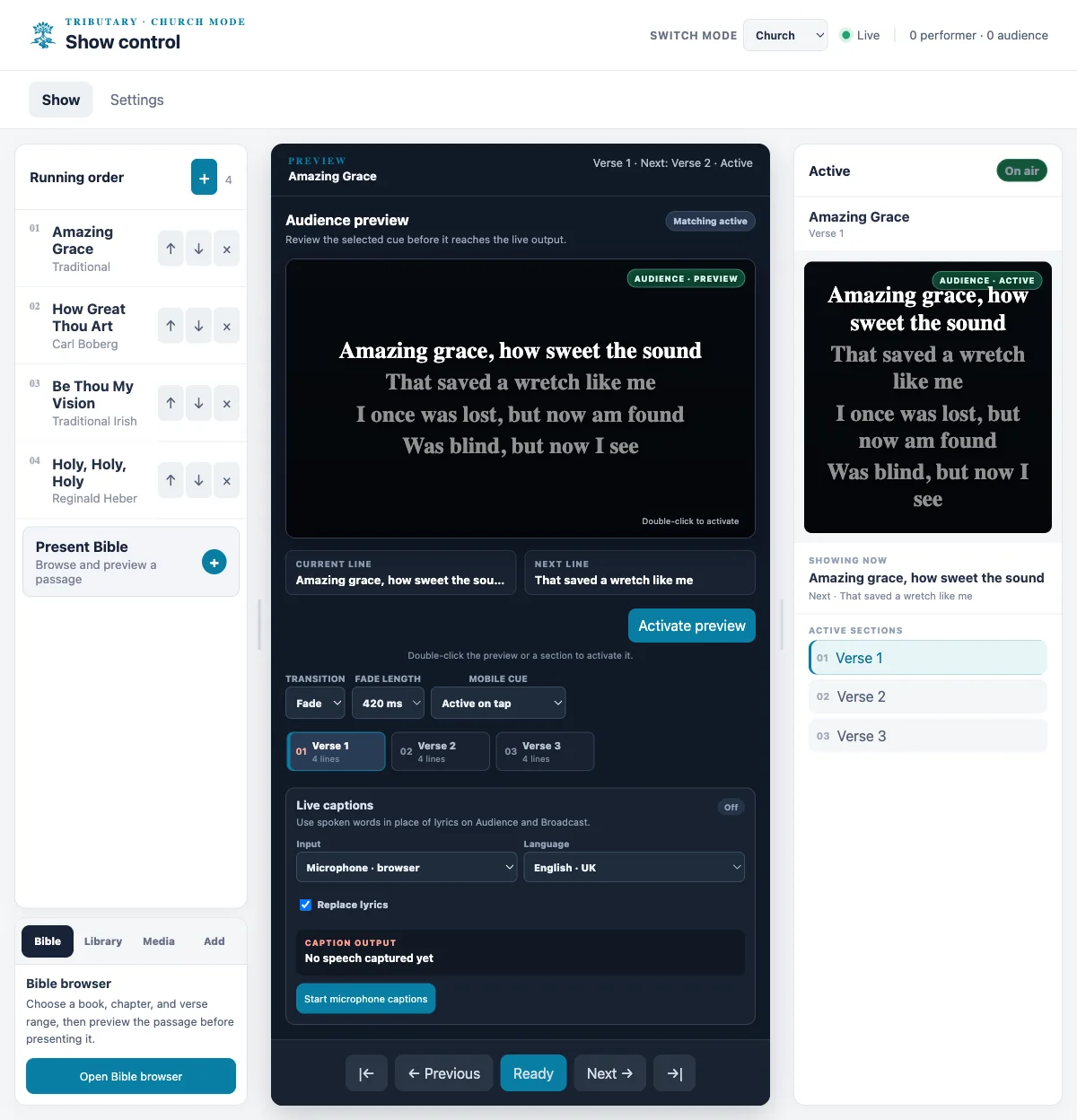
Prepare a service running order, present song lyrics and browse the included King James Version (KJV) Bible by book, chapter and verse range.
BStudioB product · Tributary (formerly FlowCue)
One room. Every screen in sync. Tributary is local-first desktop presentation and show-control software for church teams, meeting presenters and live performers. One host coordinates words, slides and cues with browser-based audience and performer screens over a trusted local network.
Invite-only early access · trusted local networks · manual installer delivery
Product overview
Use the Controller to prepare and operate a service, meeting or performance. Performer and Audience devices receive the live presentation state over the same trusted venue network.
Prepare a service running order, present song lyrics and browse the included King James Version (KJV) Bible by book, chapter and verse range.
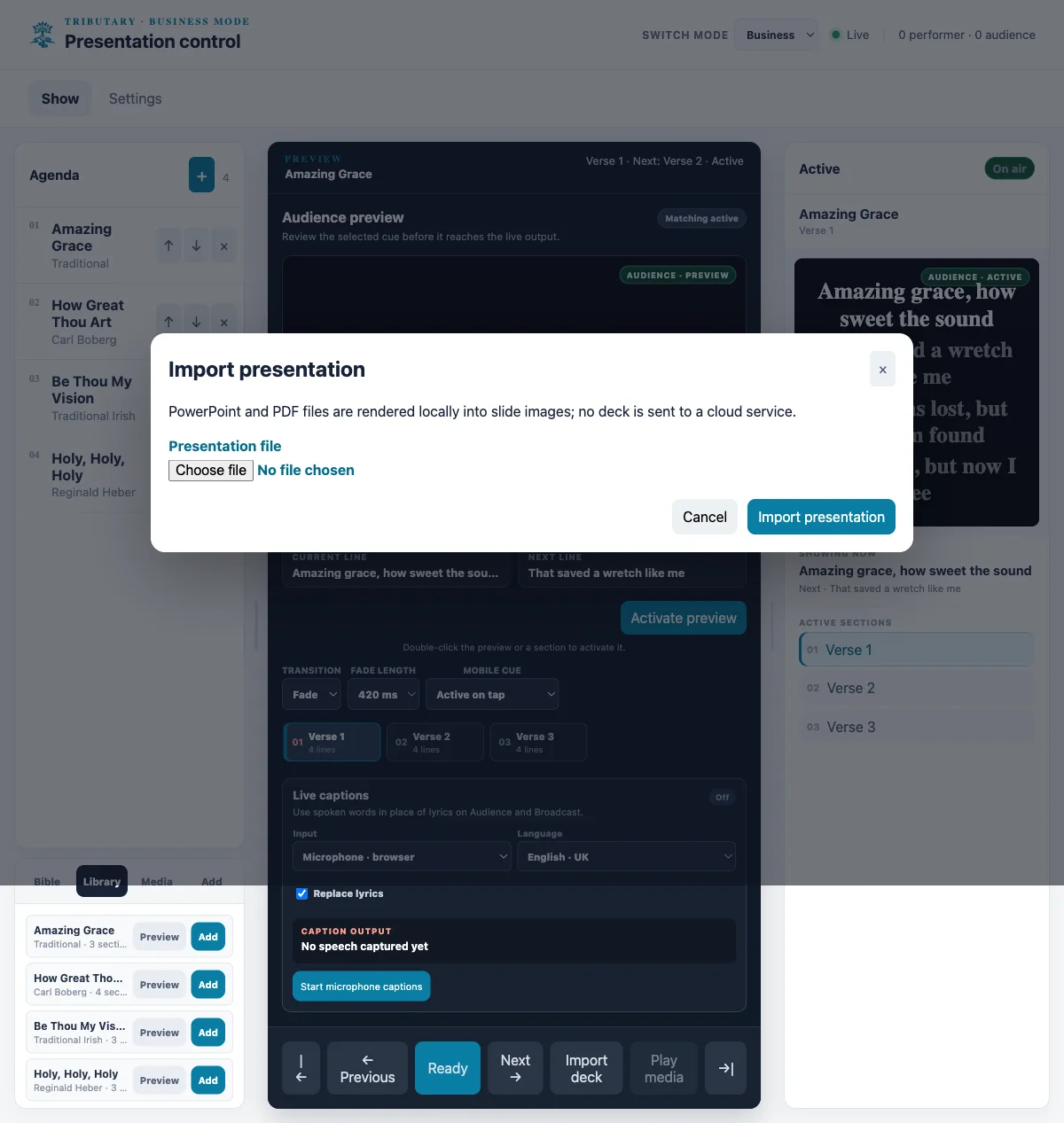
Import supported PDF or PowerPoint presentations, arrange meeting content and send the audience view to a room display. Tributary complements rather than replaces presentation authoring tools.
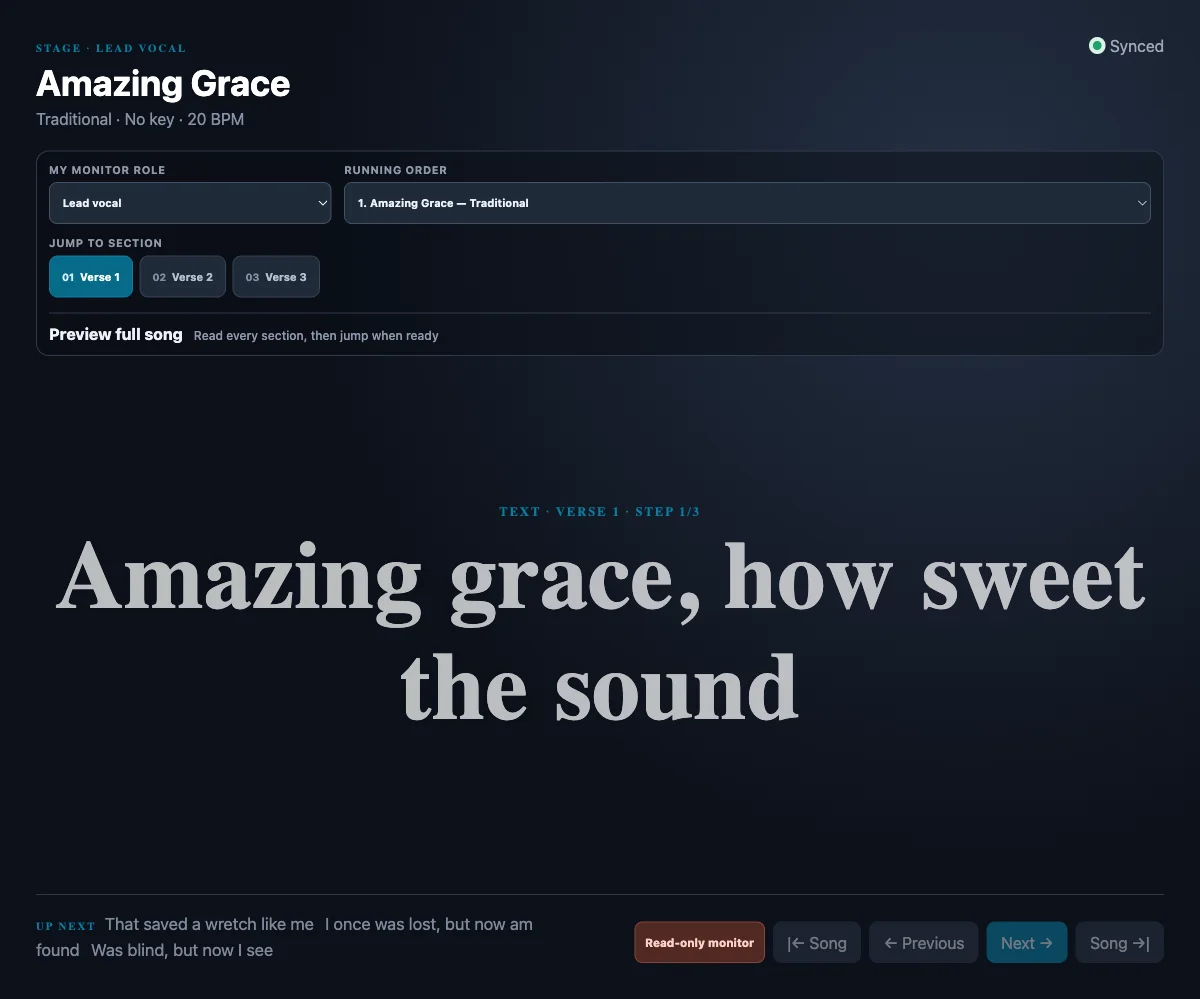
Plan a set with song arrangements, performer notes, role-specific monitors, show cues and backing-track controls.
Desktop host: Windows x64 and macOS (Apple silicon and Intel) beta builds exist, but installer versions and validation differ. The latest published beta, v1.6.2, has an Apple-silicon macOS disk image and a portable Windows x64 archive; Windows installed-runtime validation is still in progress. Intel Mac and Windows installer packages are available in the older v1.6.1 release. BStudioB provides access manually by invitation so it can confirm the appropriate build. Installers are unsigned and may trigger operating-system security warnings.
Other screens and tools: phones, tablets and computers can join as browser-based receiver screens on the trusted local network; they are not native iOS or Android apps. Projectors use the computer’s normal HDMI/DisplayPort display configuration. PDF and PowerPoint import are supported. OBS and Streamlabs remain separate video-production tools: Tributary does not natively switch cameras or control their scenes.
Access: This is invite-only beta software, not a public hosted service. There is no public self-service account, subscription checkout or automatic update/install flow; approved beta installers and updates are delivered manually.


Prices are indicative planning figures, not a live offer or checkout. Founding-pilot scope, tax treatment and any payment terms are agreed individually before participation. Studio hosted allowances and Network are planned, not currently available.
Invite-only early access
Tell us what you are planning. We will review pilot fit, arrange a demo if useful, and provide an installer manually to approved participants. The current beta is intended for a trusted local network and is not signed for frictionless public distribution.
Desktop beta packages target Windows x64 and macOS on Intel and Apple silicon, though available installers and validation differ by release as noted above. Phones and tablets can join through their browser on the same trusted venue network.